Thursday, March 28, 2013

Using video game design for education

Gamestar Mechanic Website

In his Edutopia blog post, teacher Andrew Proto discussed the online tool Gamestar Mechanic to use video game design for education.

Gamestar Mechanic is a browser-based tutorial for video game design. After an interactive tutorial about game mechanics (such as setting goals for your players, having clearly defined rules, and different styles of games), students can use a simple drag-and-drop interface to create their games. Students can share their games with the Gamestar community to get feedback.

Gamestar mechanics has been named one of the American Association of School Librarians Best Educational Websites of 2012.

For teachers, Gamestar Mechanic offers instructional material at gamestarmechanic.com/teachers. Gamestar offers teachers a discount for classrooms, with student registration available at a fraction of the normal cost.


Andrew Proto suggests that video game design projects can be used in an variety of subjects. For example:
  • After reading a book in class, have your students recreate major scenes in the form of a video game.
  • Ask students to design a game that teaches other students a specific scientific concept you've been studying.
  • After studying ratios, ask students to create a game that contains a certain ratio of coins (for the player to collect) to enemies.
  • Recreate famous myths from different cultures that have been studied in history class.
  • Have students create a game that consists of a level for each stage in a butterfly's life cycle.

Friday, March 22, 2013

Examples of directly observed evolutionary changes

Anolis Lizards
150 years after Charles Darwin (and others) first proposed the theory of evolution due to natural selection, many people still struggle to accept and understand the theory. One frequently observed claim is that evolutionary change cannot be observed.

The website phylointelligence.com has a great list (with scientific references) of examples of evolutionary changes that have been directly observed by scientists. A great resource for science teachers (and everyone interested in evolution).

See the list of observed evolutionary changes here. The examples also include the occurance of human lactase persistence which I used as a case study in my PhD (see PDF here).

Thursday, March 21, 2013

Great TV shows about Nerds and Geeks

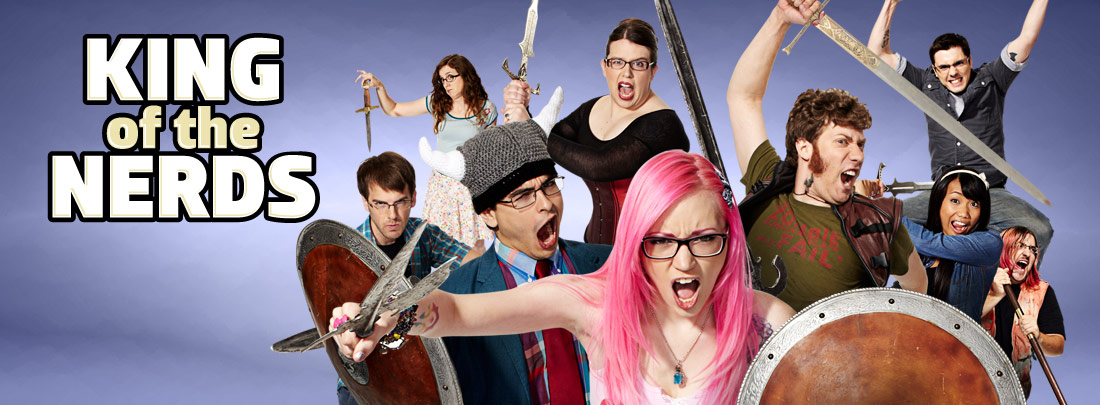
Being proud of being a nerd or a geek is becoming more popular (Read more here: Evolution of Geek). Not surprisingly, TV producers picked up on the trend and are now producing shows featuring nerdy and/or geeky main characters. Whether you laugh with the nerdy characters or laugh at them (preferably the first), there are many great TV shows about nerds and geeks to choose from:

(See an overview diagram here (spoiler alert!)

Read more here: The geek hierarchy chart.

Here is a list of ten TV shows that inspire geeks and nerds.

Wednesday, March 13, 2013

Living in front of a computer screen

Children in front of computer screens
[Source: http://images.smh.com.au/2011/06/04/2408569/art-screens-420x0.jpg]
How much time do people spend in front of a computer screen? The 'Halifax Insurance Digital Home Index’ presents findings from an online survey by One Poll in January 2013 that included 2,500 adults aged 18 and over living in the UK. 

Not surprisingly  the survey data indicates that people spend a large amount of time in front of computer screens.
  • 73% of the participants would struggle to go one day without technology devices such as smartphones, laptops and MP3 players. 23% would feel ''uneasy or worried'', while 19% would feel concern about ''missing out''.
  • 74% check emails and social networks before starting work in the morning.
  • 25% check technology devices from their beds, and 10%  take theirs into the bathroom.
  • Each owns an average £4,164 worth of technology devices.
  • Almost one in 10 (9%) respondents use their phone during mealtimes - a figure that doubles for those aged 18-24. 
  • 53% of women use their laptop parallel  to watching television, compared to 43% of men.
  • 45% communicate via devices to speak with friends and family despite being in the same house.
This survey predicts that current children will spend an average of 25% of their non-working time in front of screens (not counting sleeping time). Dr Aric Sigman, psychologist, says: "As the amount of time spent looking at a screen or plugging in increases, the amount of time spent on direct eye-to-eye contact and developing real life relationships inevitably decreases. By the age of seven years, the average child born today will have spent one full year of 24 hour days watching screen technology; by the time they reach 80 they will have spent almost 18 years of 24 hour days watching non-work related screen technology. That's a quarter of their lives."

In a national study of over 2,000 young people, aged 8 to 18, researchers found that participants were able to squeeze the equivalent of 8.5 hours of electronic media into 6 chronological hours because of multitasking (or rather 'multi-device usage'). By the time Net Generation kids reach their twenties, the typical teenager has spent over 20,000 hours on the Internet and over 10,000 hours playing video games of some kind (Source: Digital game-based learning) [Read more here]. With devices like Google Glass and multi-device usage, time in front of computer screens might soon even exceed 100% of people's work and spare time).

Sources:

Thursday, February 21, 2013

Imagining the 3D digital bookshelf of the future

How can digital books be displayed more efficiently and aesthetically? Currently, most eBook programs use a 2D bookshelf or an iTunes-like cover flow display. 

2D digital bookshelf
[Source: http://www.authormedia.com/wp-content/uploads/2009/06/shelfari.jpg]

Digital media give us the freedom to explore new ways to display books. Google engineers created the 3D "Infinite Bookshelf". It is a compromise between a traditional bookshelf view while accommodating large amounts of books (One effect of switching from physical books to eBooks is that one can store a much larger collection of books  than one would ever own in physical form). The "Infinite Bookshelf" is an infinite 3D helix that you can spin side-to-side and up and down with your mouse. It holds 3D models of more than 10,000 titles from Google Books. 

Google 3D Infinite Bookshelf
[Source: http://farm7.static.flickr.com/6219/6258962915_b1b16ef550_b.jpg]
Each row represents books belonging to the same genre. The books are organized into 28 genres/subjects. To choose a subject, click the subject button near the top of your screen when viewing the bookcase. The camera then flies to that subject. Clicking on a book shows the cover and the first page with a link to google books and a QR code  that’s in the bottom left corner of the page, using a QR code app likeGoogle Goggles. Try the "Infinite Bookshelf" demo here.

This short video explains the functionality of the bookshelf.


Without physical bookshelves, there is no more shelf-snooping when you visit somebodies home or office. The books we have on display show our intellectual heritage and interests. Discovering that a new acquaintance read the same book is a great start for a conversation. But how can that happen if all our books are stored electronically? Do we give a new acquaintance acces to our shelfari,  goodreads, or calibre accounts? Will we have wall-sized touch-screens displaying our digital libraries?
Browsing Google's Infinite Bookshelf (at Google NY)
Will we have physical book-dummies on display? Once we are all wearing google glasses, will visitors be able to see my personal library displayed on a wall?

While Google's Infinite Bookshelf is an interesting concept, I wonder why a digital 3D library couldn't look more like this:
Clementinum National Library (Czech Republic) 
Jedi Temple Library (aka Trinity College Library, Ireland)
I imagine a 3D digital library that links to my eBook collection (e.g. on goodreads or calibre) and displays books from each genre on a different book shelf (and one shelf for to-be-read). I could give visitors full or partial access to the library and allow them to borrow books. I hope that somebody will take on the task of creating beautiful 3D digital libraries for personal use.

See more pictures of beautiful libraries here and here. 

Tuesday, February 12, 2013

Teaching machines in 1954

Harvard psychology professor B.F. Skinner presents the benefits of self-paced mastery learning using "teaching machines".

Thursday, February 7, 2013

Home office of the future in 1967

Walter Cronkite presents the "Home office of the Future" on March 12, 1967 in an episode of the CBS show "The 21st Century".